In my previous blog post, I wrote about adding cumulative updates to a Windows image. While doing so I smashed my head into a wall for a while figuring out that I was missing a servicing stack update. And if you don’t install that first, the cumulative update won’t actually install into the image.
The worst part is, it may appear as though the cumulative update is successful.
So at least it’s not total user error on my part. The deal is, if you use DISM directly or the DISM PowerShell cmdlets, and you apply the standalone update (MSU) version of the cumulative update WITHOUT the servicing stack prerequisite, DISM happily reports that the package is added successfully.
Yes. <insert sad emoji>
My first clue that something was wrong was how darn fast the massive cumulative update package was applied to my Server 2016 image. The second clue was when I committed the image and installed the OS only to find out that the Windows version was the same as the original install media. But why?
Demonstrating the issue
I mounted an image to C:\Mount and used DISM.exe to add the August 2018 cumulative update to my image:
dism /image:c:\mount /add-package /packagepath:%userprofile%\downloads\windows10.0-kb4343887-x64_b271ddc543d9dced2baef6af558e94726a549df3.msu
It installed very quickly and returned a successful result! Supposedly … But it really didn’t complete successfully. I know because I installed an OS with this image and the resulting version was exactly the same as the source media. No cumulative update anywhere. Nada. You can also replicate the same experience using the PowerShell command Add-WindowsPackage.
So I tried this
I decided to expand the MSU into its parts and apply the underlying compressed package (CAB) directly to the image. You can expand the MSU like so:
expand -f:* %userprofile%\downloads\windows10.0-kb4343887-x64_b271ddc543d9dced2baef6af558e94726a549df3.msu C:\2016std
And you’ll get 3 files: I used DISM to add the CAB to my image:
dism /image:c:\mount /add-package /packagepath:%userprofile%\downloads\windows10.0-kb4343887-x64.cab
And suddenly I got a useful error: At this point I decided to check the update KB article for details. In this case, KB4343887. At the bottom is the smoking gun; servicing stack update KB4132216 is required.
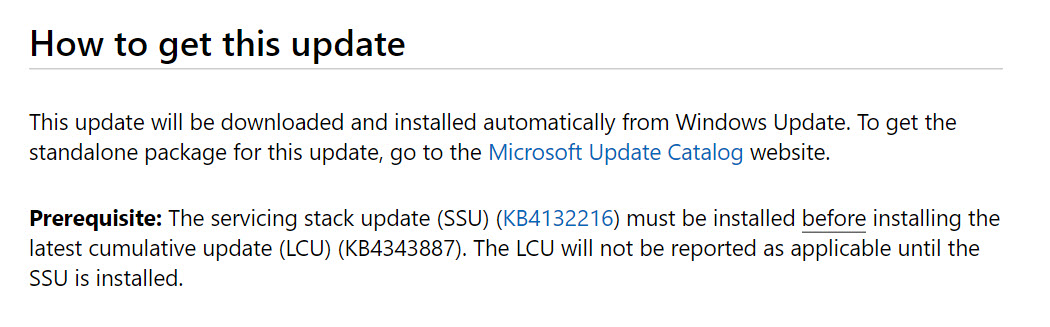 Downloading and installing this package ahead of the cumulative update resolved the issue. You do so in the same session, you do not need to commit and unmount the image in between. I have no idea why the cumulative update standalone installer (MSU) package install appears successful whereas the CAB package install provided the (correct and useful) error. If you use MDT with WSUS patching or offline servicing feature for OSD images in ConfigMgr, you probably won’t even notice this because the SSU should automatically install (assuming updates are regularly approved/distributed). But knowing these details can be useful. Maybe it will save you a headache.